From setting up your resume to your first tailored application. If you can copy and paste, you can use Job Hacker. Haven't installed it yet? See Get started.
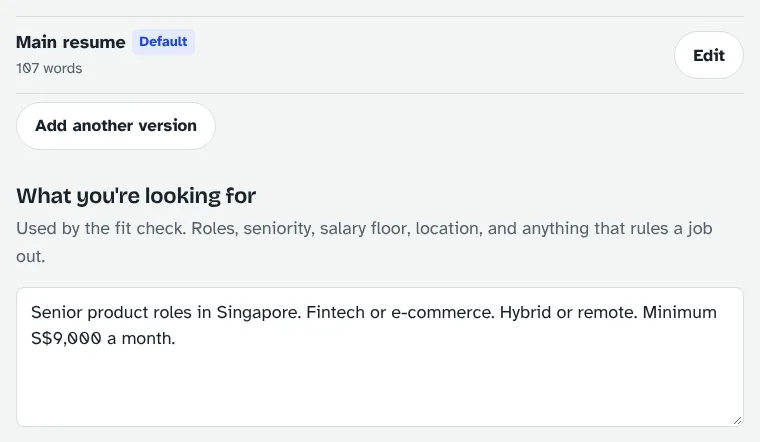
Open Settings with the gear at the top right. You only do this once.

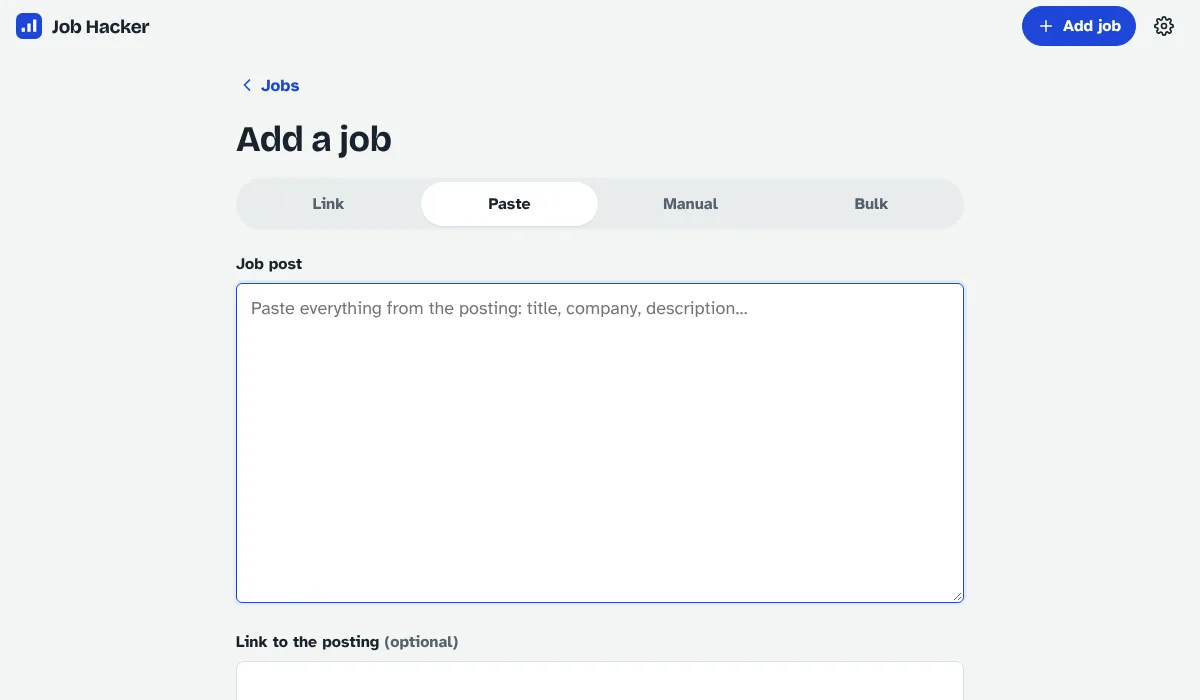
Link didn't work? Some sites need a login. Open the job ad, select all, copy, and use the Paste tab: the details are picked out for you. You can also type a job in by hand (Manual), or paste many links at once or bring in a spreadsheet (Bulk).


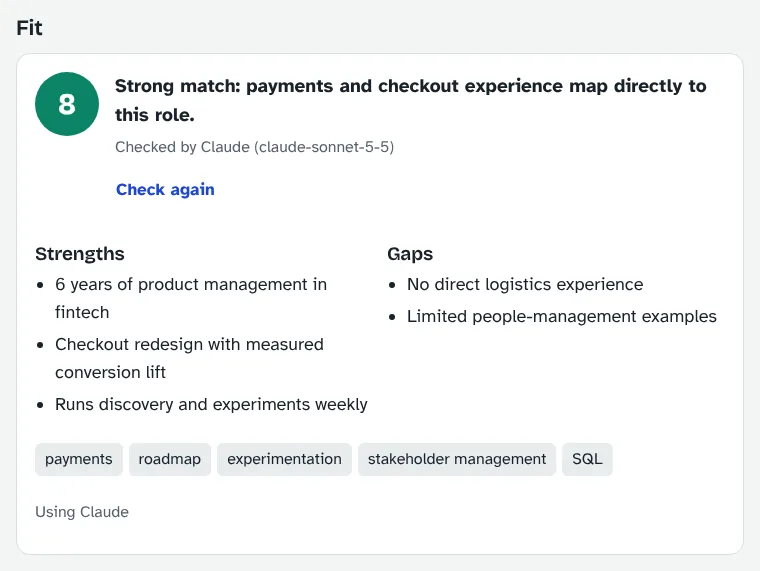
On a job's page, click Check my fit. In 10 to 30 seconds you get a score out of 10, your strengths, the gaps and keywords to use.

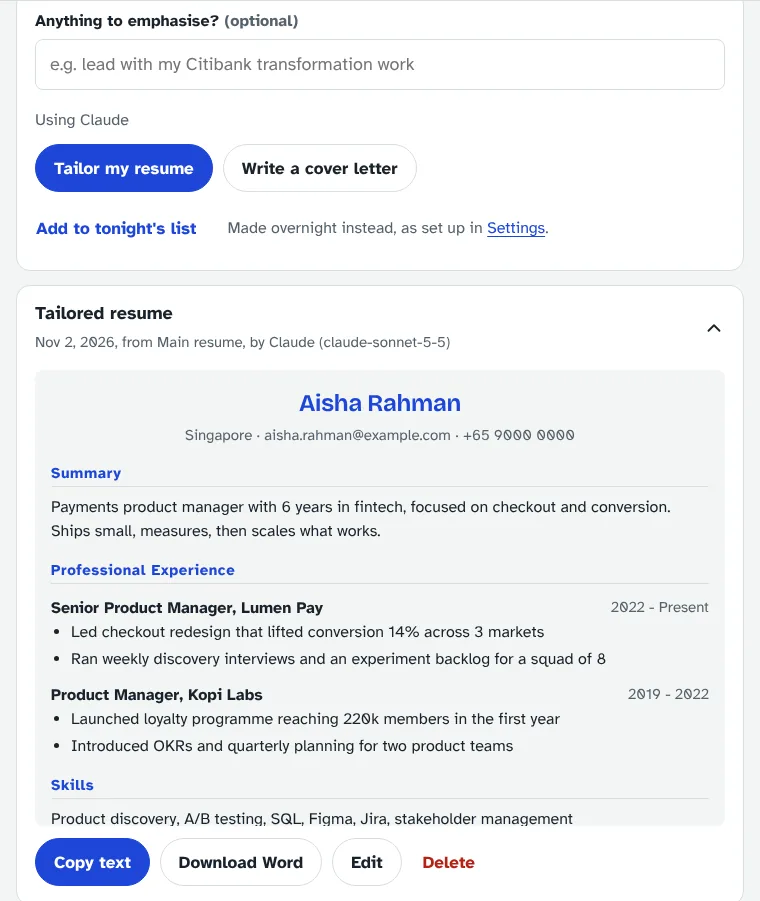
Optionally type what to emphasise, then click Tailor my resume (30 to 90 seconds) and Write a cover letter. Copy the text, or download a PDF or Word file.

Always read it before you send it. The AI writes from your base resume and is usually accurate, but you're responsible for what you send. Fix anything that isn't quite right with Edit.

iPhone or iPad: open Job Hacker in Safari, tap Share, then Add to Home Screen. Android: open it in Chrome, tap ⋮, then Install app. Once installed over a secure (https) address, Job Hacker also appears in Android's Share menu, so you can save a job straight from LinkedIn.
Install Ollama, run ollama pull qwen3:14b, and keep OLLAMA_URL in the settings file. A Claude / Local switch then appears next to every AI button. Local is free but slower (1 to 4 minutes per resume), so it suits overnight runs.
In Settings → Profile, add a profile for each person. Each has their own jobs, resumes and overnight list. Everyone uses the same password, so only share it with people you trust.
Set API_TOKEN in the settings file, and tools like n8n or iPhone Shortcuts can add jobs for you. The full list of options is at /api/docs on your server.
Back up now and then: Settings → Download backup saves all your jobs, resumes and notes in one file. Import backup brings it back on any computer. Your AI key isn't in the backup, so paste it again on a new PC.
Job Hacker isn't running. On Windows, double-click JobHacker.exe again. Closing the browser tab doesn't lose anything: everything is saved as you go.
There's no AI key yet. Add one in Settings (Windows app), or in the settings file (Docker), then restart with docker compose up -d.
Usually the Anthropic account is out of credit, or the internet dropped. Top up at console.anthropic.com and try again.
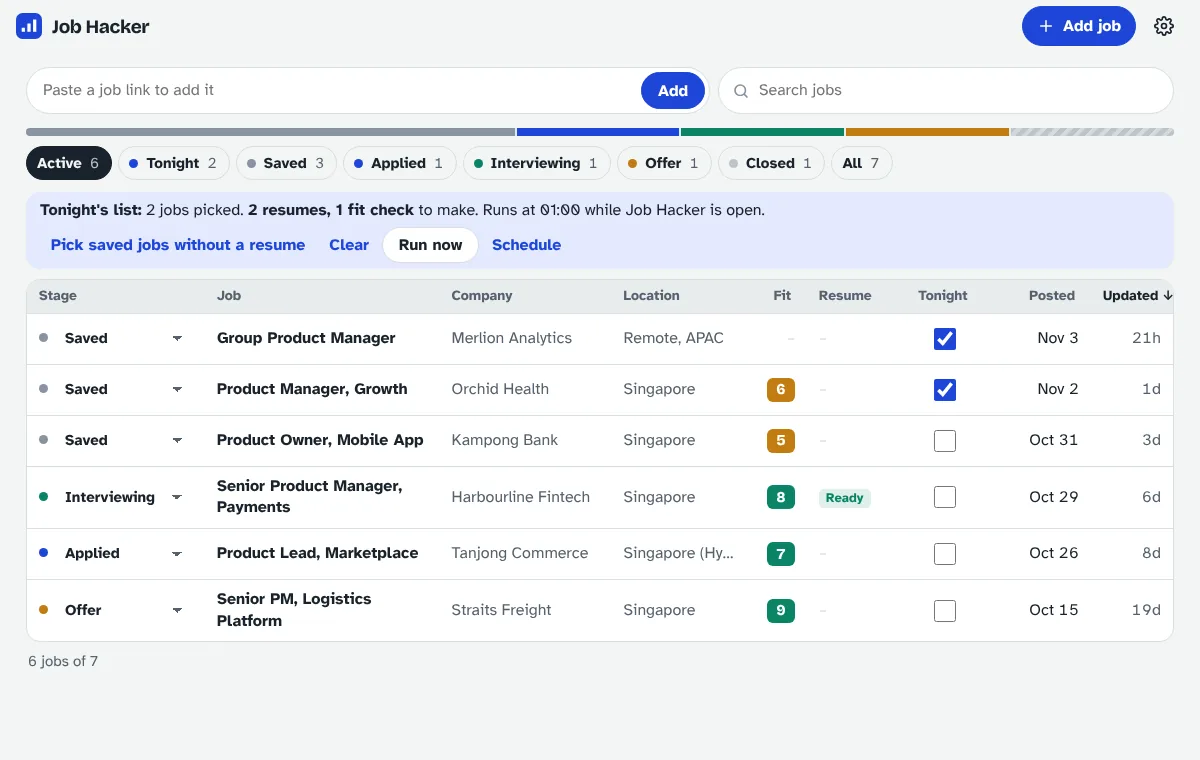
Click No description · Fill in on the job list. Job Hacker reads the job ad again for free, and asks before using the AI if that finds nothing. If the ad is gone, paste the text with Edit details.
The computer was asleep or Job Hacker wasn't running. On Windows, turn on Start when Windows starts. With Docker, check TZ_NAME is your time zone.
Click More info, then Run anyway. If your antivirus removed it, restore it and add an exception. The code is public on GitHub, so anyone can check what it does.
Still stuck? Download that day's file from Settings → Log files and send it with your question via Get in touch. Log files never contain your key, resumes or job descriptions.